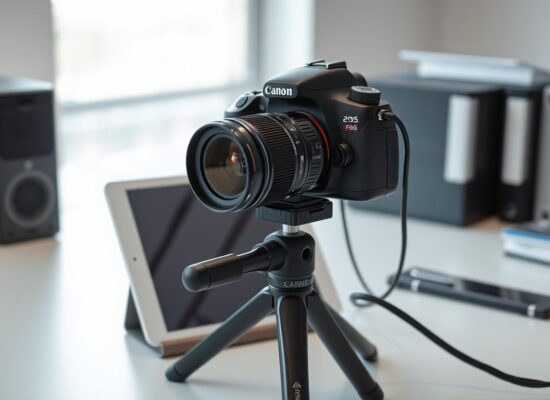
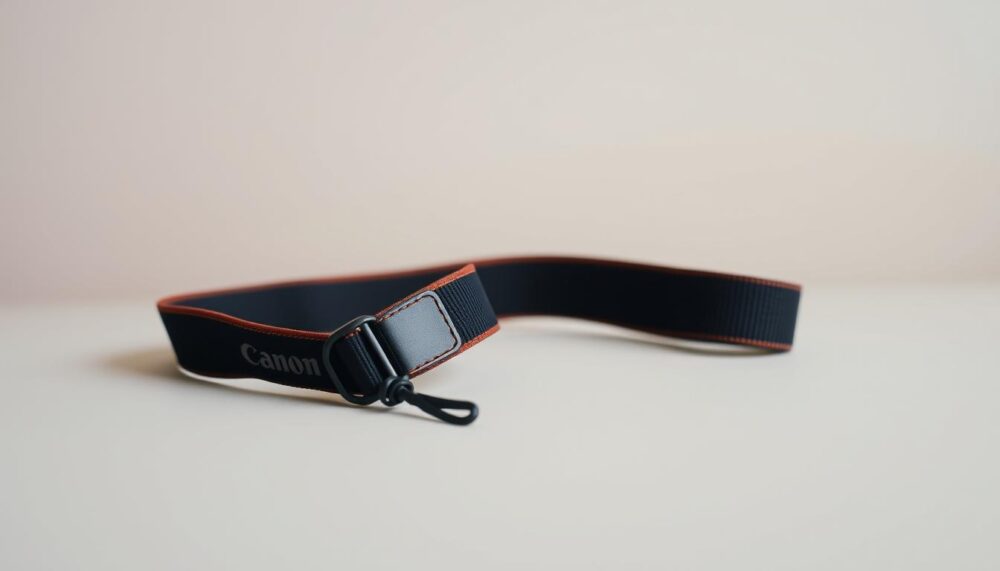
Securing your camera strap correctly is essential for both convenience and safety. Whether you’re using a Canon, Nikon, or Sony device, a properly attached strap ensures your equipment stays protected during use. This guide walks you through the process step by step, making it simple for photographers of all levels.
Camera straps come in various styles, including hand grips and 3-point slingers. Each type offers unique benefits, but the key is to choose one that suits your needs. For added security, consider Quick Release Camera Straps with anti-theft technology. These innovative designs provide peace of mind, especially in busy environments.
Attaching your strap correctly not only prevents accidents but also enhances your shooting experience. Follow this Canon camera strap guide to ensure your equipment stays safe and accessible at all times.
Key Takeaways
- Ensure your camera strap is securely attached for safety and convenience.
- Compatible with various brands, including Canon, Nikon, and Sony.
- Proper attachment prevents accidents and equipment damage.
- Explore alternative strap types like hand grips and 3-point slingers.
- Quick Release Straps with anti-theft technology offer added security.
Introduction to Attaching Your Canon Camera Strap
A secure camera strap is vital for protecting your equipment. Whether you’re using a Canon, Nikon, or Sony device, the attachment process is universal. Ensuring your strap is correctly fitted prevents accidents and enhances your shooting experience.
Traditional strap systems often come with frustrations. Stock straps are fiddly and designed for single-use installation. Frequent removal for tripod or gimbal use can be a hassle. These pain points highlight the need for a more efficient solution.
Improperly fitted straps pose significant risks. A loose strap can lead to accidental drops, causing costly damage. Prioritising camera strap safety ensures your gear remains protected in all situations.
Enter the Quick Release Camera Strap. This innovative design solves common issues with traditional systems. It allows for easy removal and reattachment, making it ideal for scenarios like tripod mounting or underwater housing. For more insights on camera safety, check out this detailed guide.
Related Posts:


Preparing Your Camera and Strap
Preparation ensures your gear stays safe and functional during use. Before attaching any strap, it’s essential to set up your workspace and equipment properly. This step-by-step guide will help you avoid common pitfalls and ensure a smooth process.
Step 1: Prepare Your Camera
Start by removing the lens and any accessories. This reduces the risk of damage and makes the process easier. Always use a body cap to protect the sensor from dust or scratches.
Next, inspect the camera lugs. These small metal loops are where the strap attaches. Clean them thoroughly, especially if you’re replacing an old strap. Dirt or debris can affect the fit and security of your new strap.
Step 2: Prepare the Camera Strap
Identify the type of lugs on your device. Some use metal staples, while others have thread pass-throughs. Each requires a specific threading approach, so take a moment to familiarise yourself with the design.
If you’re using a Nikon neck strap, ensure the padding is positioned correctly for comfort. For a Sony mirrorless camera, check the strap’s orientation to align the logo properly. This small detail enhances both aesthetics and usability.
Finally, choose a stable work surface to prevent tangling. A clean, flat area ensures you can focus on the task without distractions.
How to Put on the Canon Camera Strap
Threading and securing your strap correctly is vital for stability. This process ensures your gear stays safe and accessible during shoots. Follow these steps to achieve a secure and comfortable fit.
Step 3: Thread the Strap Onto the Lug
Begin by threading the strap through the camera’s lugs. Ensure the strap is flat and untwisted for a smooth fit. Proper alignment prevents slippage and enhances durability.
Step 4: Secure the Strap with the Plastic Buckle and Sleeve
Next, attach the plastic buckle to the strap. Position it away from the camera body to avoid scratches. Use the sleeve to manage loose ends, preventing them from catching on equipment.
Step 5: Adjust the Strap Length
Once secured, adjust strap length for optimal comfort. Equal lengths on both sides ensure proper weight distribution. Test the fit by lifting the camera with full gear weight.
Step 6: Check for Comfort
Finally, test the strap in different shooting positions. Whether using a wrist strap or a cross body strap, ensure it feels comfortable and secure. Make minor adjustments as needed for ergonomic use.
By following these steps, you’ll achieve a secure and comfortable fit for your camera. Proper attachment not only protects your equipment but also enhances your shooting experience.
Conclusion: Secure Your Camera with Confidence
Ensuring your equipment stays secure enhances both safety and shooting confidence. Properly installed straps prevent accidental drops, keeping your gear protected during every shoot. For added convenience, consider a Quick Release Camera Strap that allows instant removal, ideal for tripod mounting or quick adjustments.
Premium straps with Anti-Theft Technology offer extra security, especially in crowded environments. Unlike traditional systems, these designs are compatible with major brands and provide customisation options for colour and length. This ensures a perfect fit for your needs.
Explore the benefits of modern strap systems, like Lucky Straps, which save time and enhance usability. For visual learners, a video demonstration is available to guide you through the process. Secure your equipment with confidence and enjoy a seamless shooting experience.
FAQ
What tools do I need to attach a Canon camera strap?
You only need your Canon camera and its strap. No additional tools are required.
How do I prepare my camera for attaching the strap?
Ensure your camera is turned off and placed on a flat, stable surface to avoid accidental damage.
What should I check before threading the strap onto the lug?
Inspect the strap for any signs of wear or damage. Ensure the lugs on your camera are clean and free from debris.
How do I secure the strap with the plastic buckle and sleeve?
Slide the strap through the buckle, then thread it back through the sleeve to lock it in place securely.
How can I adjust the strap length for comfort?
Pull the strap through the buckle to your desired length, ensuring it feels comfortable around your neck or shoulder.
What should I do after attaching the strap?
Double-check the strap’s security and adjust its position for maximum comfort and ease of use.