A professional headshot should create the right first impression while still looking natural and recognisable.
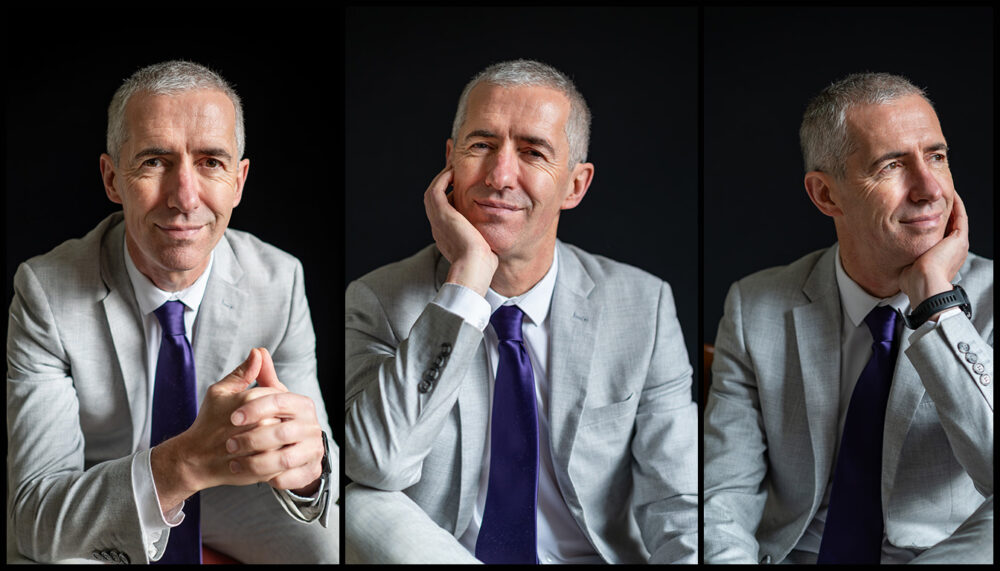
This professional headshot session in Edinburgh was planned to produce a versatile collection rather than one formal photograph. By changing the background, clothing, position, expression and crop, we created portraits suitable for LinkedIn, company websites, staff directories, professional profiles and marketing materials.
The session included a full suit, shirt-and-tie portraits, seated photographs, close profile images and a black-and-white variation. This gave the client several useful options while maintaining a consistent professional appearance.
I’m Lucas, an Edinburgh photographer creating professionally directed portraits for people who want to appear confident, credible and approachable.
What Is a Professional Headshot?
A professional headshot is a portrait created specifically for business, personal-branding or professional use.
It normally concentrates on the face and upper body, although a complete session can also include wider portraits, seated photographs and different clothing combinations.
Professional headshots may be used for:
- LinkedIn profiles
- Company websites
- About pages
- Staff directories
- Professional membership profiles
- Speaker biographies
- Conference programmes
- Press releases
- Business cards
- Social-media profiles
- Articles and publications
- Marketing materials
The style should reflect the person’s role and industry. Someone working in finance, law or senior management may prefer a more formal portrait. A consultant, creative professional or small-business owner may want something slightly more relaxed.
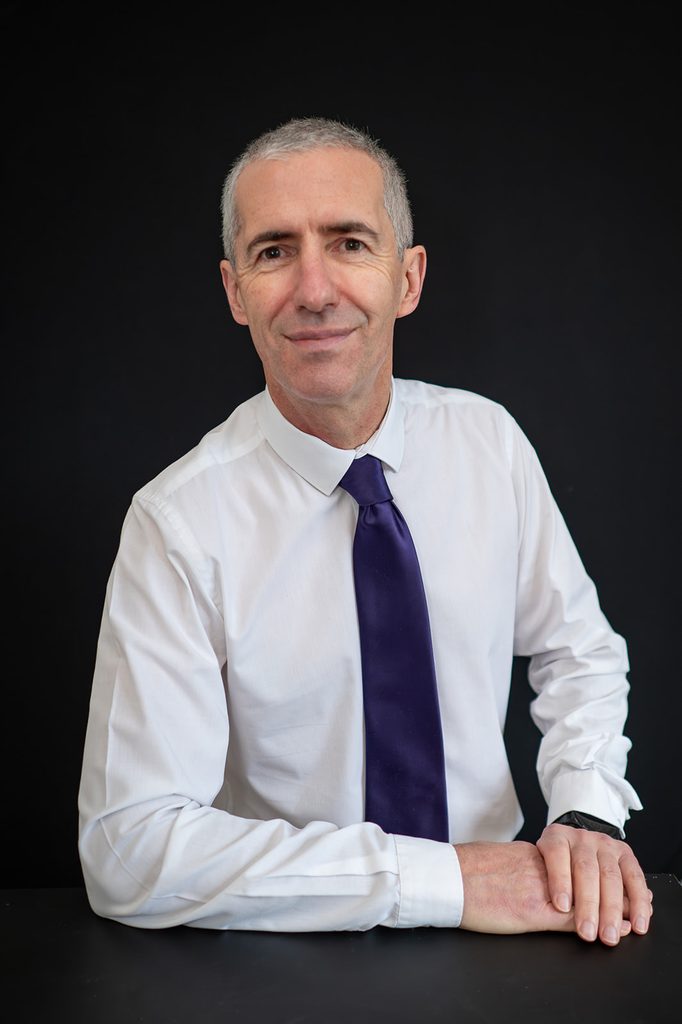
A Formal Headshot Against a Dark Background
A black background creates a clean and focused professional portrait.
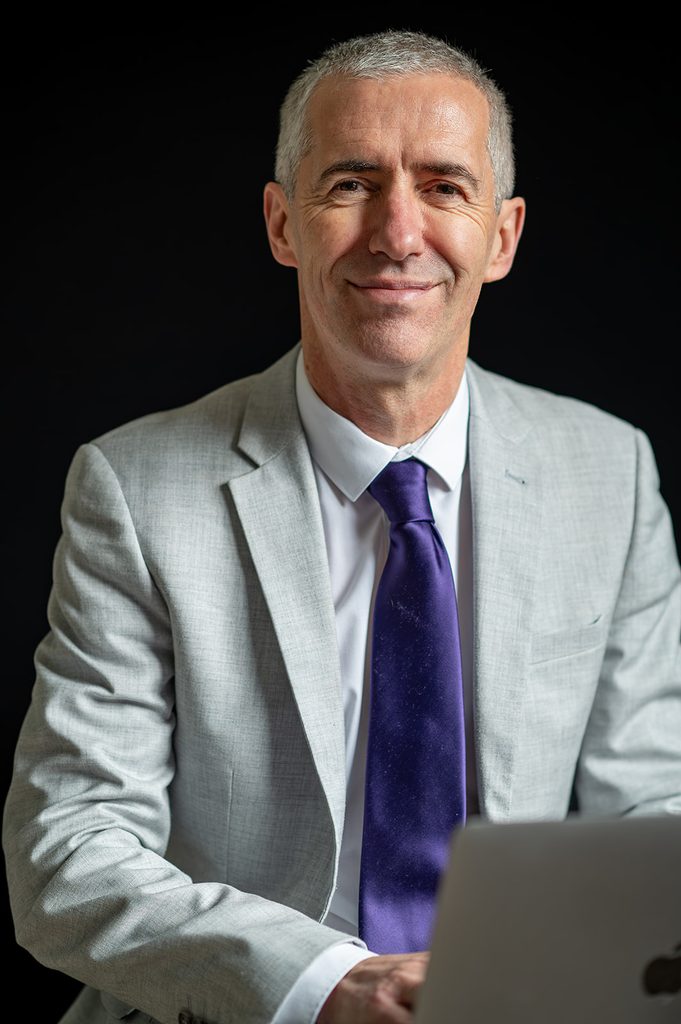
It removes surrounding distractions and keeps attention on the person’s face and expression. The white shirt and purple tie also provide strong contrast against the dark background.
This type of photograph works well for company websites, professional directories and printed materials where a simple and consistent background is required.
The expression does not need to feel severe. A subtle, natural smile can maintain professionalism while helping the person appear approachable.
Standing and Seated Corporate Portraits
Changing position is a straightforward way to create variety during a professional portrait session.
A standing headshot often feels direct and confident. A seated photograph can appear more conversational, particularly when the hands are included naturally within the composition.
The seated image from this session provides additional space around the subject and shows a slightly less formal side of the same professional appearance. It could work well within an About page, interview, company brochure or longer professional biography.
Small adjustments to posture are important. The shoulders, hands and body angle should look natural without appearing overly casual.
A complete portrait gallery should provide several useful compositions rather than repeatedly using one position. Cindy’s family travel photography session in Edinburgh is another example of how individual portraits, group photographs and changes in framing can create a varied collection.
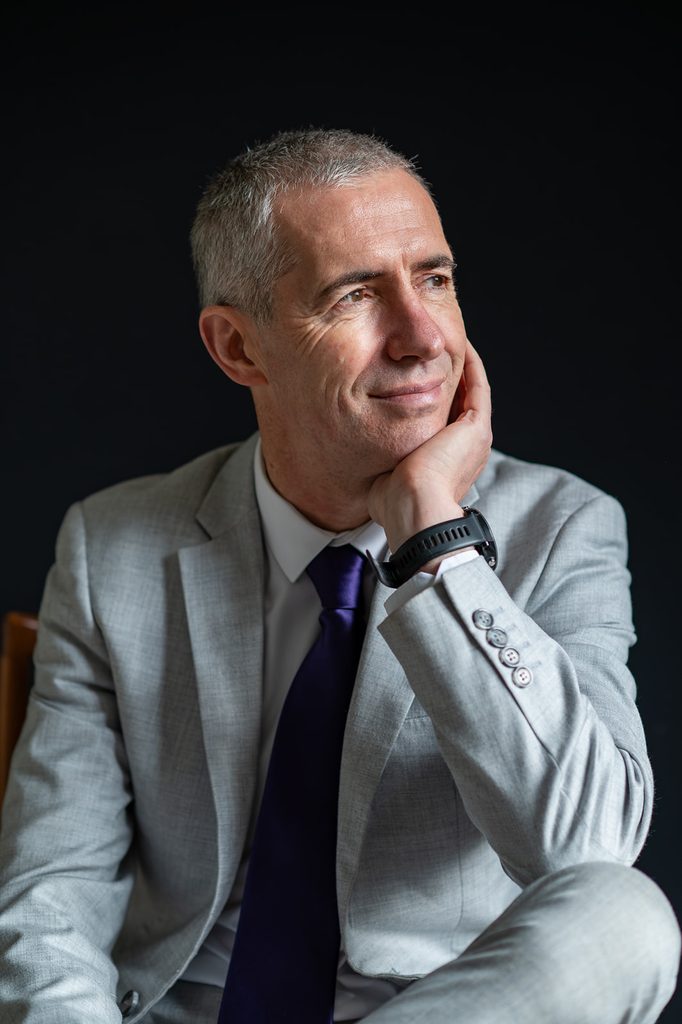
Formal Portraits in a Suit Jacket
Adding a suit jacket immediately changes the appearance of a business portrait.
The grey suit, white shirt and purple tie used during this session created a polished and formal result. The dark background separated the subject from the surroundings while keeping the photograph clean and focused.
This type of headshot may be suitable for:
- Senior-management profiles
- Financial services
- Legal professionals
- Consultants
- Public speakers
- Corporate websites
- Professional associations
- Press and media use
The jacket can then be removed to create a less formal alternative without arranging a separate photography session.
Planning Your Own Professional Headshot Session?
Your session can include different backgrounds, clothing variations and crops suitable for LinkedIn, your company website and other professional platforms.
Tell me how you intend to use the photographs, whether you prefer a formal or approachable style and whether you need individual or company-team portraits.
Professional but Approachable Expressions
Many people worry that they will not know what expression to use during a professional portrait.
A business photograph does not necessarily require a broad smile. However, a completely serious expression can sometimes appear distant.
The best option depends on the person, their profession and where the image will be displayed.
During a headshot session, we can create:
- A natural smile
- A subtle smile
- A neutral professional expression
- A more confident formal portrait
- A relaxed conversational expression
- Direct eye contact
- A portrait looking slightly away from the camera
Creating several variations allows the client to select an image that feels natural while supporting the impression they want to make.
Do You Need to Know How to Pose?
No previous photography experience is required.
Most people are not accustomed to standing in front of a professional camera. Clear direction is therefore an important part of the session.
I can help with:
- Body angle
- Shoulder position
- Head position
- Hand placement
- Posture
- Expression
- Eye direction
- Adjusting jackets and ties
- Choosing between standing and seated positions
Small adjustments can make a significant difference. The purpose is not to force someone into an unnatural pose but to help them look comfortable and confident.
Feeling uncertain in front of the camera is not limited to corporate photography. Jenna and Mike’s Saughton Park engagement photoshoot shows how simple direction and natural movement can help people relax during a professional session.
Light or Dark Headshot Backgrounds?
Neither background is automatically better. The right choice depends on how the photographs will be used and the impression you want to create.
A light background can feel:
- Open
- Modern
- Friendly
- Natural
- Suitable for bright website designs
A dark background can feel:
- Focused
- Formal
- Dramatic
- Consistent
- Suitable for corporate layouts
Creating both versions provides greater flexibility. A light portrait may work well on LinkedIn, while a darker photograph may suit the design of a company website, publication or presentation.
The featured photograph from this session uses a lighter background, while several alternative portraits were created against black.
Should You Wear Glasses in Your Headshot?
If you normally wear glasses professionally, it usually makes sense to include them in at least some of your photographs.
The final portrait should remain recognisable to colleagues, clients and people meeting you for the first time. Removing glasses only for the photograph may create an image that does not reflect your usual appearance.
However, lenses can produce reflections. The lighting and head position need to be adjusted carefully so that the eyes remain visible.
It can be helpful to bring:
- Your normal glasses
- An alternative pair
- A cleaning cloth
- Both glasses and contact lenses, if you regularly use each
- Frames without strongly tinted lenses
We can create portraits with and without glasses if you want options for different professional uses.
Close Headshots for LinkedIn and Online Profiles
Many online platforms display profile photographs at a small size.
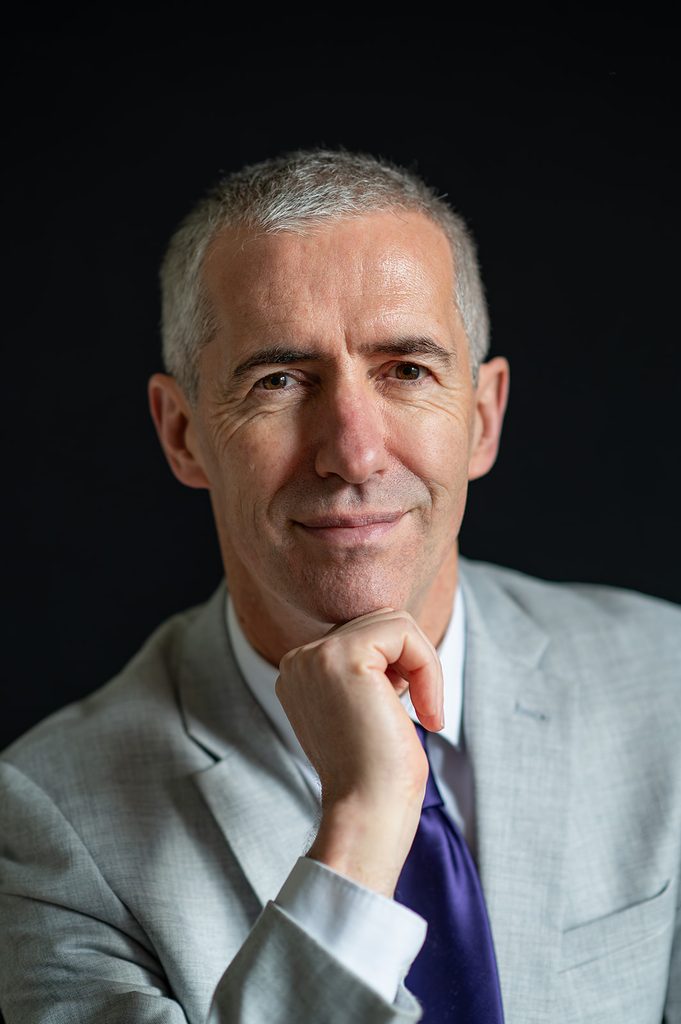
A wider portrait may look excellent on a website but lose impact when reduced to a small LinkedIn circle. A professional gallery should therefore include closer crops as well as wider images.
A close profile photograph should:
- Keep the face clearly visible
- Leave suitable space around the head
- Work in circular and square crops
- Show the eyes clearly
- Avoid distracting background details
- Remain recognisable at a small size
Creating several framing options avoids repeatedly cropping one photograph for every platform.
Professional portraits are useful outside traditional workplaces as well. This solo traveller photoshoot in Edinburgh demonstrates how individual photography can combine close portraits, wider compositions and natural movement.
Black-and-White Business Headshots
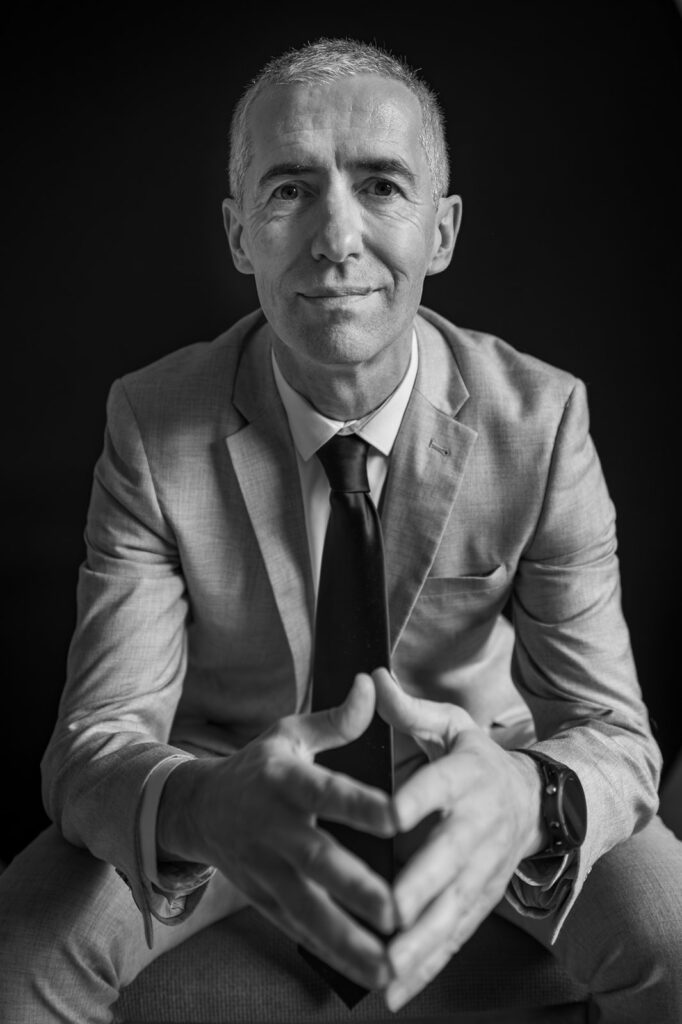
A black-and-white conversion gives a professional portrait a different character.
Removing colour concentrates attention on expression, facial features, lighting and contrast. It can create a timeless appearance and may work particularly well for editorial features, biographies and personal-branding materials.
Black and white should normally complement the colour gallery rather than replace it entirely. Many company websites require consistent colour portraits, while certain publications may prefer monochrome.
Providing both versions gives the client flexibility without requiring another session.
What Should You Wear for a Corporate Headshot?
The right clothing depends on your profession and how you normally present yourself to clients.
You should look prepared and polished without wearing something that feels unlike you.
Consider bringing:
- A suit jacket
- A second jacket or blazer
- A plain shirt
- One or two ties
- A less formal clothing option
- Clothing in your company’s brand colours
- Accessories you normally wear professionally
Try to avoid:
- Very small or busy patterns
- Large distracting logos
- Clothing that needs constant adjustment
- Strongly creased fabrics
- Colours that blend completely into the background
Clothing should be clean, pressed and comfortable. Check collars, ties and jacket shoulders immediately before the photographs begin.
Colour Versus Black and White
Colour portraits are generally the most practical choice for company websites, LinkedIn and business directories.
They show clothing and company colours accurately and are easier to combine with modern website designs.
Black-and-white photographs can provide a strong alternative for:
- Editorial features
- Speaker biographies
- Personal-branding websites
- Printed publications
- Press materials
- Creative professional profiles
It is useful to photograph and edit the session with both possibilities in mind. Not every colour portrait will convert equally well into black and white.
Individual Headshots and Company Teams
This session involved one person, but professional headshot photography can also be organised for company teams.
A team session should maintain consistency across:
- Background
- Lighting
- Framing
- Colour
- Image proportions
- General photographic style
Consistency helps staff photographs look connected when displayed on the same company website or directory.
Before the session, agree on clothing guidance, background preference and how the final images will be cropped. Additional employees can then be photographed in a similar style when the team changes.
How Often Should You Update Your Headshot?
A professional headshot should represent how you currently look and work.
Consider updating it when:
- Your appearance has changed noticeably
- You begin a new role
- You launch a business
- Your company rebrands
- Your existing photograph is several years old
- Your current profile image is a phone snapshot
- Different platforms contain inconsistent photographs
- You need higher-resolution files
- You are preparing for a conference or publication
Using one recent professional photograph across your principal platforms helps create a consistent professional identity.
Preparing for Your Session
Before the appointment, consider where the photographs will be displayed.
A LinkedIn photograph may require a close square crop, while a website banner or About page might need a wider composition with additional space around the subject.
It is helpful to provide:
- Your profession or industry
- The intended uses for the photographs
- Your preferred level of formality
- Any company-branding requirements
- Required crop dimensions
- Background preferences
- The number of people attending
- Any publication deadlines
This information allows the photography to be planned around the final purpose rather than creating images first and deciding how to use them later.
Planning Professional Headshots in Edinburgh?
A professional portrait session can be adapted around your role, industry and intended use.
We can create formal and approachable expressions, standing and seated portraits, clothing variations and photographs against light or dark backgrounds.
Whether you need an updated LinkedIn image, a company-website portrait or consistent photographs for your team, tell me what you need the finished images to achieve.
Contact Lucas Wedding Photography with your preferred date, approximate number of people and intended use of the photographs.
Frequently Asked Questions
Yes. Individual professional portraits can be created for LinkedIn, company websites, business profiles, publications and marketing materials.
Yes. The session can include different expressions, clothing variations, standing portraits and more relaxed seated photographs.
Yes. If you use both options professionally, photographs can be created with and without glasses. The lighting can be adjusted to reduce reflections.
Yes. Close head-and-shoulders portraits can be created for LinkedIn as well as company websites, directories and other professional profiles.
Yes. Team sessions can be organised using consistent lighting, backgrounds and framing. Provide the approximate number of employees when requesting availability.
Wear clothing appropriate to your role and bring several options where possible. A jacket, plain shirt and alternative tie can provide useful variety.
No. Clear guidance is provided throughout the session, including help with posture, body angle, expression and hand placement.
Yes. Selected portraits can be provided in colour and black and white when appropriate.
Use the contact page to provide your preferred date, number of people, desired style and intended use of the photographs.